Investing
How to Calculate ARV (After Repair Value): A Flipper's 2026 Playbook
This guide shows investors and flippers how to estimate ARV from comps, budget the renovation and set a maximum offer with the 70% rule.
·11 min read

Learn how to virtually stage a house step-by-step—from shooting empty rooms to publishing MLS-ready photos that sell listings faster and for more.
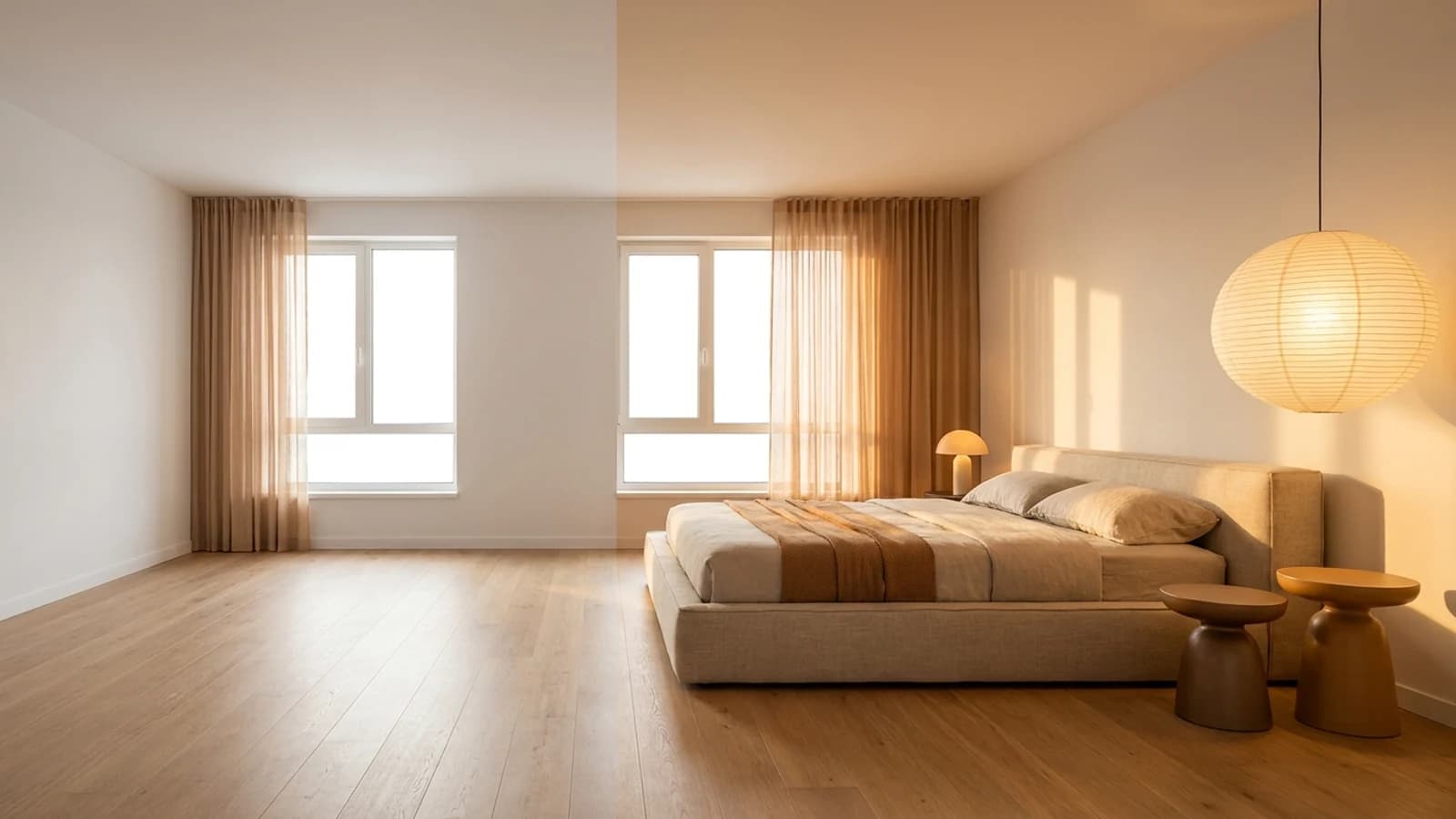
Knowing how to virtually stage a house is quickly becoming one of the most valuable skills an agent can have. Buyers increasingly scroll through dozens of listings before scheduling a single showing — and an empty room rarely stops the scroll. Virtual staging lets you furnish, style, and light a property digitally before a single buyer walks through the door, without the $2,000–$5,000 price tag of physical staging.
This guide walks through every step: prepping and shooting the right raw photos, picking the right software, choosing a style that resonates with your likely buyer, reviewing the output for realism, meeting MLS disclosure rules, and distributing the final images across every portal that matters.
Virtual staging is the process of digitally adding furniture, décor, lighting, and finishing touches to photos of an empty or sparsely furnished room. A skilled editor — or an AI tool — places realistic 3D objects into the scene, adjusts shadows and reflections to match the existing light, and outputs a finished image that looks like a professionally staged room.
It is not always the right call. Use it when:
It is less suitable for ultra-luxury listings where buyers expect to see the real thing in person, or for properties with significant condition issues that staging would obscure rather than fairly represent.
| Traditional Staging | Virtual Staging | |
|---|---|---|
| Typical cost | $1,500–$5,000+ | $20–$150 per room |
| Turnaround | 1–3 days (logistics) | Hours to 1 business day |
| Furniture options | Limited to what the stager owns | 150+ styles |
| Works for vacant homes | Yes | Yes |
| Works remotely | No | Yes |
| MLS disclosure required | No | Yes |
The quality of your virtual staging result is almost entirely determined by the quality of your source photos. AI and editing tools can add furniture — they cannot fix a dark, distorted, or blurry room photo.
Camera and settings
Lighting
Angles and composition
Resolution
There are two broad approaches: managed services (you upload photos and a human editor returns staged images within 24–48 hours) and AI-powered tools (you upload, select a style, and receive results in seconds to minutes).
Managed editing services tend to produce slightly more polished results but cost more per image and require turnaround time. They are a good fit for high-end listings where every detail matters.
AI virtual staging tools have improved dramatically. Tools like Compozit can process a room photo and return a furnished, styled result in roughly 30 seconds — useful when you are working against a tight listing timeline or want to iterate quickly on multiple style options.
When evaluating any tool, look for:
See our virtual staging cost breakdown for a detailed comparison of what you should expect to pay across different service tiers.
The most common mistake agents make in virtual staging is choosing a style they personally like rather than one that will appeal to the most likely buyer for that specific property and price point.
Match style to buyer profile
Room-by-room staging checklist
| Room | Must-haves | Avoid |
|---|---|---|
| Living room | Sofa, coffee table, rug, accent chair, lamp | Too many pieces; oversized furniture that crowds the space |
| Primary bedroom | Bed with headboard, two nightstands, dresser or mirror | Mismatched furniture scales; busy bedding patterns |
| Dining room | Table sized for the room, chairs, pendant light | Oversized tables in small rooms |
| Home office | Desk, chair, shelving or bookcase | Generic "corporate" setups that feel impersonal |
| Kitchen | Clear counters, a bowl of fruit or simple vase | Adding appliances that do not exist in the actual property |
Virtual staging images should enhance the property — not misrepresent it. Before you publish anything, review each image carefully for common artifacts:
If any of these are present, request a revision or adjust the placement settings. Most AI tools allow you to re-run the generation with different parameters. For listing-quality work, it is worth taking an extra iteration to get it right.
You can also use listing photo enhancement tools to clean up the base photo — correcting white balance, straightening lines, and removing distracting elements — before passing it to the staging step. Better input always produces better output.
This step is non-negotiable. Every major MLS and the NAR Code of Ethics require that virtually staged photos be clearly identified as such. Failing to disclose is a violation that can result in complaints, fines, or legal exposure.
What disclosure looks like in practice
Most virtual staging platforms provide a built-in watermark or disclosure label option. Use it. If yours does not, add the label in any basic photo editor before uploading.
With disclosure labels in place, you are ready to publish. Order your photos intentionally — the first image in the carousel has an outsized impact on click-through rates.
Recommended photo order
Portal-specific tips
Compozit
Virtual staging, renovation previews, and listing-ready photos for real estate pros — in under 30 seconds.
Start FreeKeep Reading
This guide shows investors and flippers how to estimate ARV from comps, budget the renovation and set a maximum offer with the 70% rule.
What AI photo editing can fix in listing photos, where the MLS line sits, and a workflow agents can run on every listing without misleading buyers.
An honest 2026 comparison of virtual staging and physical staging for real-estate agents and sellers — real cost ranges, turnaround time, buyer perception,